
The Broadcast Booth Blueprint: How to Direct an AI Voice Generator for High-Octane Sports Commentary
Transform flat, robotic text-to-speech into high-octane sports commentary. Learn the exact scripting formulas, punctuation hacks, and vocal direction techniques to capture the raw energy of live athletics.
Live sports commentary is an exercise in controlled chaos. It isn’t merely a recitation of names and statistics; it is a symphony of sudden tempo shifts, sharp intakes of breath, and explosive vocal releases that capture the raw emotion of a split-second play. When creators try to replicate this dynamic atmosphere using basic text-to-speech tools, the result is often a flat, robotic delivery that drains the life out of an otherwise thrilling highlight reel.
To bridge this gap, you must transition from a passive writer to an active broadcast director. By utilizing Fanfun’s AI voice generator, you can inject personality, pacing, and authentic athletic energy into your scripts. Whether you are producing TikTok highlights, gaming let’s-plays, or fantasy sports updates, mastering the mechanics of vocal direction is the key to turning synthetic speech into an arena-shaking broadcast.
Beyond the Monotone: The Anatomy of Live Sports Commentary
Before you type a single word into an AI generator, you must understand how professional commentators structure their delivery. Sports broadcasting relies on two distinct vocal styles: play-by-play and color commentary. Play-by-play is rapid, rhythmic, and highly reactive, tracking the ball with staccato precision. Color commentary, on the other hand, is analytical, warmer, and delivered with a conversational cadence during pauses in the action.
To create a compelling voiceover, your script must respect the “vocal arc” of an athletic play. A real commentator never starts a sentence at a volume level of ten. Instead, they follow a predictable emotional trajectory:
- The Setup (Exposition): Low, steady, and descriptive. Settling the listener into the scene.
- The Build (Tension): Faster cadence, rising pitch, and shorter sentences as the play develops.
- The Climax (Explosion): Maximum volume, elongated vowels, and high emotional release at the moment of the score.
- The Resolution (Aftermath): A gradual return to a lower, breathless register, often accompanied by a sense of awe.
At Fanfun, we believe that AI should not just replicate words, but capture the distinct personality and cultural energy of iconic sports personas. Explain that just as game developers must avoid flat delivery by directing AI voice generators for emotional range, sports creators must push their AI tools to capture genuine excitement. By matching your script’s structure to these natural vocal arcs, you guide the AI model to deliver a performance that feels alive, authentic, and deeply connected to the action on screen.
Scripting for the Mic: Writing with Athletic Cadence
AI voice generators read text literally. If you write a standard, grammatically perfect paragraph, the AI will read it with the even, measured pace of an audiobook narrator. To force the AI to adopt an athletic cadence, you must use punctuation as a direct visual instruction for the voice engine.
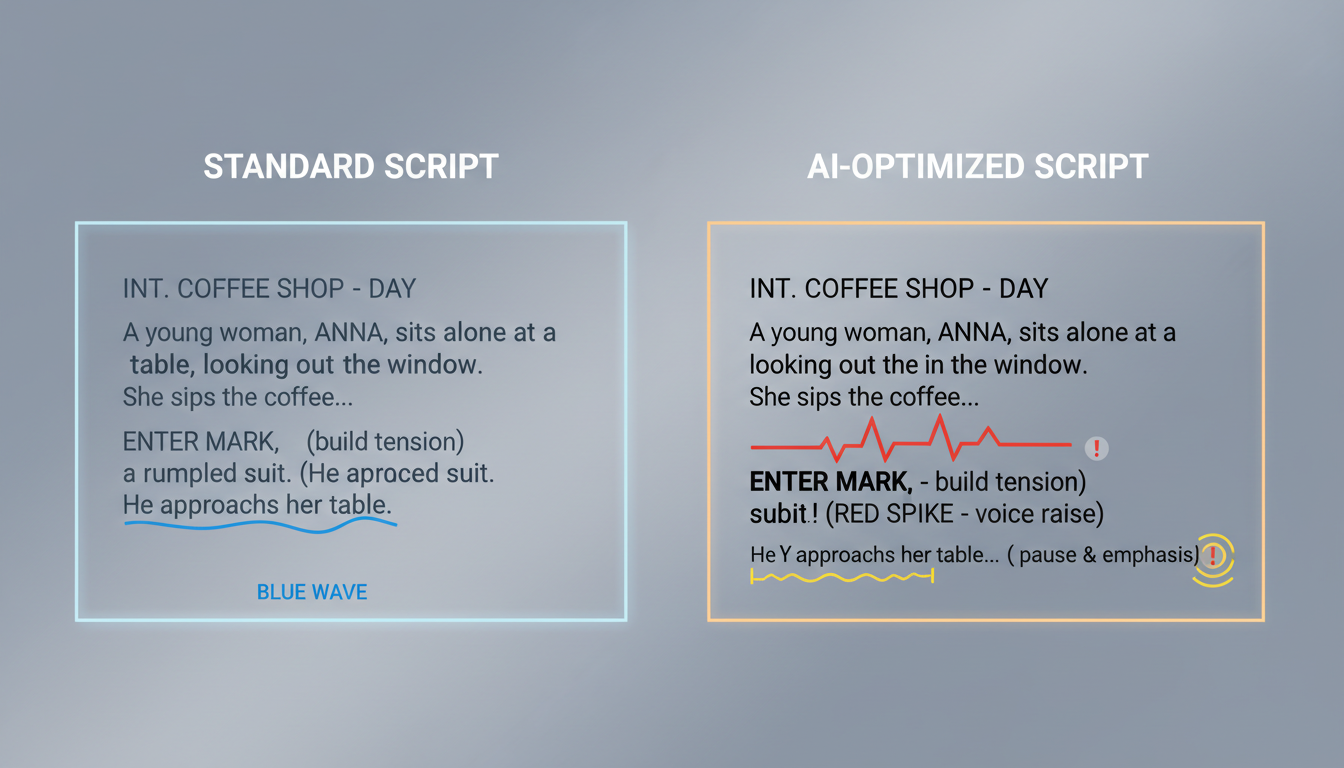
Ellipses (...) are excellent for creating suspenseful pauses, allowing the AI to take a breath before a major action. Dashes (—) signal sudden shifts in momentum, forcing a rapid transition in tone. Capitalization can be used selectively to prompt the AI to increase its volume and intensity during climactic moments. Furthermore, phonetic spelling is your best defense against clunky AI pronunciation of complex player names or classic sports slang.
The Formatting Playbook
To see this in action, compare how a standard script reads versus an AI-optimized script designed specifically for high-octane delivery:
| Standard Script (Flat Delivery) | AI-Optimized Script (Dynamic Delivery) |
|---|---|
| Curry has the ball at the top of the key. He drives past his defender, steps back behind the three-point line, and shoots. He makes the basket as the buzzer sounds. | Curry... at the top of the key. He drives... steps back—BEHIND THE LINE... HE FLINGS IT! AND IT’S GOOD! GOOOOD! AT THE BUZZER! |
| Mbappé runs down the left flank, beats two defenders, and kicks the ball into the top corner of the net. What a spectacular goal. | Em-BAH-pay... burning down the left flank... he cuts inside—HE’S UNSTOPPABLE! Fires to the top corner... UN-BELIEVABLE! A masterclass! |
By breaking up the text and using phonetic spelling (like Em-BAH-pay), you prevent the AI from stumbling and naturally guide its pacing to match the frantic speed of the play.
Directing the AI: Pacing, Pitch, and Shonen-Style Energy
Once your script is formatted, you need to coach the emotional intensity of the voiceover. In live broadcasting, the best commentators sound like they are witnessing a miracle. To achieve this, you need to push the AI’s parameters to their upper limits of expressiveness.
Keep the baseline pitch steady during the buildup, but do not be afraid to let it spike during key plays. Compare the explosive, high-stakes vocal delivery of a sports commentator to the intense energy required when directing an anime protagonist voice generator online. Both styles rely on a sense of theatrical, larger-than-life passion. If your AI voiceover sounds too reserved, rewrite the script with more aggressive punctuation and select high-energy voice models within the Fanfun library to force the generator into that signature “shonen-style” hype level.
Additionally, you must account for "the crowd factor." A commentator never shouts in a silent vacuum. When editing your final audio, always leave small gaps in your script to let the ambient stadium noise breathe. If the AI voice is constantly speaking without pause, the performance will feel artificial. By leaving 1-2 second pauses after major scoring calls, you create the perfect window to swell the sound of a cheering crowd in your editing software.
Real-World Playbooks: How Creators Use AI Sports Voices
Creators across social media are finding innovative ways to integrate AI-generated sports commentary into their production pipelines. On platforms like TikTok and YouTube, creators are taking classic, silent gameplay clips from titles like Madden NFL or NBA 2K and overlaying them with custom, high-energy AI commentary. This simple addition transforms a generic gameplay capture into an immersive, highly shareable piece of content.

Another rapidly growing use case is in the world of fantasy sports. Instead of sending standard text updates to your league mates, fantasy commissioners are using Fanfun to generate custom weekly recap videos. Imagine a legendary-sounding sports voice delivering a personalized, high-intensity roast of the league member who benched their star quarterback, or hyping up an underdog victory. Fanfun provides an instant, highly affordable alternative to booking expensive real-life celebrity shoutouts, allowing you to scale your content creation and keep your community engaged all season long.
The Sports Commentary Checklist: From Script to Final Render
Before you render your next sports voiceover, run through this production checklist to ensure your audio sounds like a professional live broadcast:
- The Breath Test: Read your script aloud at full speed. Did you have to gasp for air? If so, insert ellipses (
...) or dashes (—) to give the AI natural breathing points. - Phonetic Check: Are all player names and regional sports slang spelled phonetically? (e.g., use YAH-nis for Giannis).
- Energy Mapping: Ensure your script has a clear buildup. Do not start with capitalized, high-intensity words in the first sentence.
- The Crowd Layer: Place your ambient crowd noise track at least 3-5dB below the AI voice track. This ensures the commentator remains crisp and intelligible while still feeling embedded in the stadium.
Contrast the rapid, reaction-based pacing of sports broadcasting with the atmospheric, slow-burn techniques used when directing an AI voice generator for cinematic audio dramas. While audio dramas require deep, resonant pauses and subtle emotional shifts, sports commentary demands immediate, high-impact energy. By mastering both ends of this vocal spectrum, you can create immersive audio experiences that capture your audience’s attention from the very first second.
Can an AI voice generator sound like a real sports commentator?
Yes. By using advanced platforms like Fanfun and applying strategic scripting techniques—such as phonetic spelling, custom punctuation, and volume-triggering capitalization—you can generate AI voiceovers that capture the rhythm, excitement, and distinct personality of a professional sports broadcaster.
How do I make an AI voice sound excited or high-energy?
To push an AI voice into high energy, use capitalization for key words, exclamation points, and dashes to mimic rapid, excited speech. Additionally, selecting a naturally high-energy voice model from the Fanfun library will ensure the baseline performance starts with the correct athletic intensity.
What is the best way to script a sports play-by-play for AI tools?
Break your script into short, staccato phrases using ellipses (...) to create dramatic pauses and dashes (—) for sudden action shifts. Avoid long, grammatically perfect sentences, as they cause the AI to fall back into a flat, monotone reading style.
How do fantasy football leagues use AI voice generators?
Fantasy leagues use Fanfun to create personalized weekly recaps, draft-day announcements, and matchup roasts. By generating custom commentary in the style of iconic sports voices, commissioners can deliver highly entertaining, custom content to their league members instantly and affordably.



