The Zero-Production Promo: How to Script and Launch High-Impact AI Video Ads on a Bootstrapper’s Budget
Traditional video production is a massive bottleneck for bootstrapped brands. Discover how to leverage AI-driven character platforms to bypass physical shoots and launch high-impact, high-retention video promos in minutes.
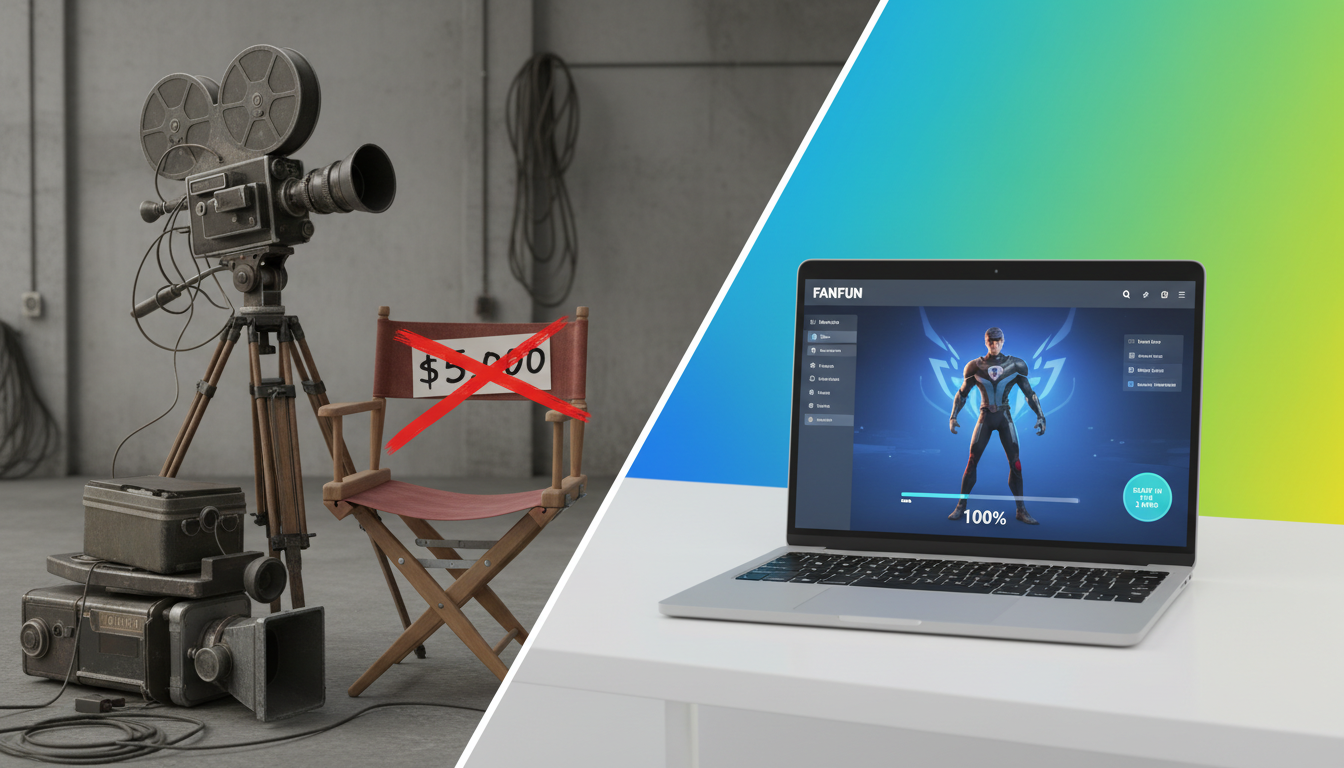
For bootstrapped brands and independent creators, video production has always been the ultimate bottleneck. Traditional workflows dictate that if you want a high-converting social media ad, you must hire actors, rent studio space, buy expensive lighting gear, and spend weeks in post-production. This slow, cash-intensive model leaves no room for experimentation, forcing you to bet your entire marketing budget on a single creative concept that may or may not convert.
The real paradigm shift isn't buying a cheaper ring light or editing on free mobile apps; it is transitioning to a "Zero-Production" workflow. By leveraging AI-driven celebrity and character platforms like Fanfun, creators and marketers can bypass physical shoots entirely, producing hyper-personalized, high-affinity video promos at a fraction of the cost of a single Cameo booking or freelance actor hire.
The Death of the $5,000 Promo: Why AI is the Ultimate Budget Equalizer
Traditional video production is riddled with hidden costs. Between actor day-rates, licensing fees, equipment rentals, and endless post-production revision cycles, a single 30-second promotional video can easily clear $5,000 before you even spend a dollar on ad distribution. If that single creative concept fails to resonate with your target audience, your entire investment is wiped out. This high-risk, low-agility model heavily favors massive brands with deep pockets, leaving bootstrapped businesses struggling to compete.
Zero-Production workflows completely rewrite this equation. By replacing physical sets and human scheduling bottlenecks with digital assets, you can draft, generate, and launch professional-looking video promos in under 20 minutes. Instead of putting all your eggs in one basket, this speed allows you to test 10 distinct video variations in the time it used to take to write a single creative brief. If a hook doesn't land, you don't lose thousands of dollars—you simply swap out the script and regenerate the asset in minutes.
This is where Fanfun serves as the ultimate equalizer. As the modern, instant alternative to traditional influencer outreach, Fanfun allows brands and creators to tap into high-affinity character and celebrity-style personas instantly. Instead of negotiating complex contracts, waiting weeks for a creator to return a mediocre UGC clip, or dealing with strict usage rights, you gain direct control over the script, pacing, and delivery. It is a highly scalable, incredibly affordable approach to content creation that democratizes high-impact video marketing.
The Anatomy of a High-Retention AI Promo Script
Standard scripts written for human actors often fail when read by AI. Humans naturally adjust their breathing, add subtle pauses, and modulate their tone to match the flow of a sentence. AI-generated voices, while incredibly advanced, require structured scripts designed specifically for their unique pacing. To maximize engagement, your scripts must utilize shorter sentences, punchier punctuation, and deliberate rhythmic patterns.
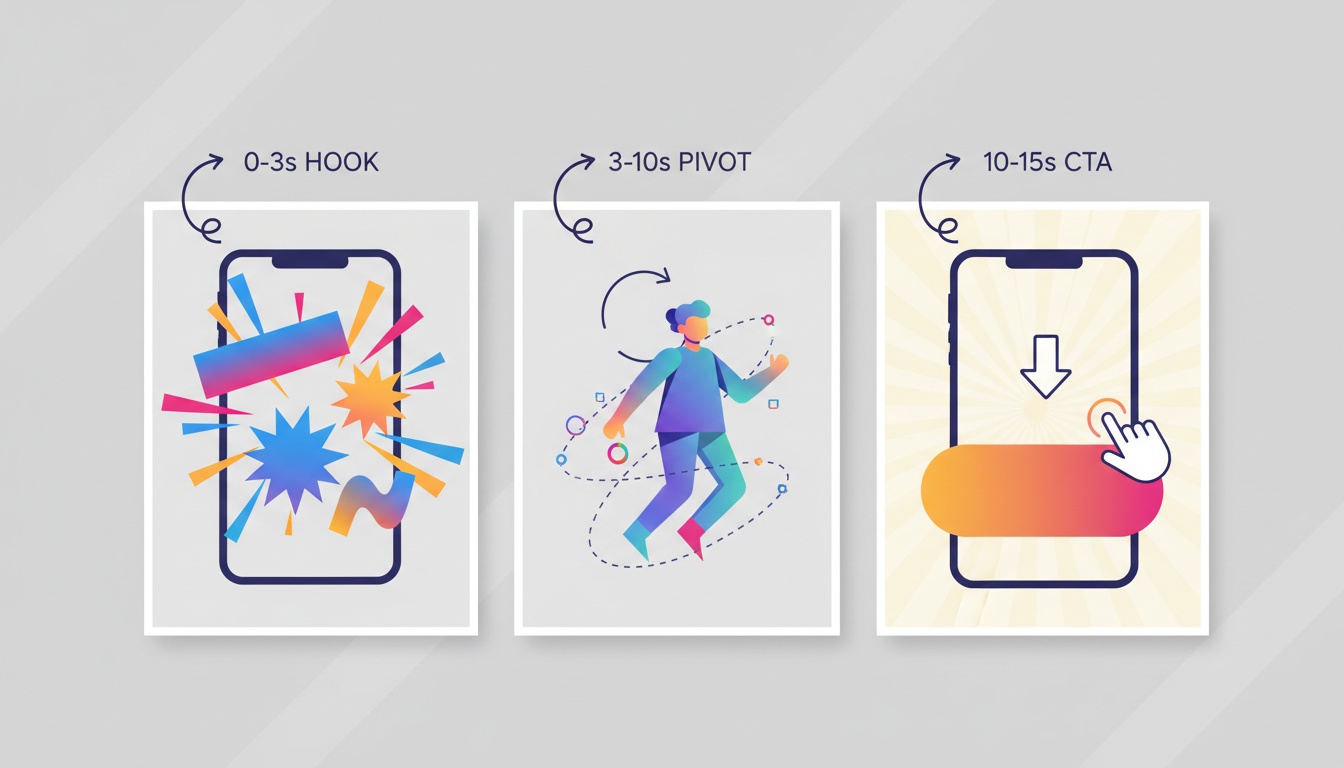
For a deeper dive into crafting high-converting social media templates, check out our guide on attention-hijacking personalized video templates. To get started immediately, you can structure your video using the highly effective "Scroll-Stopper" framework outlined below.
| Phase | Timeframe | Core Objective | Scripting Technique |
|---|---|---|---|
| The Hook | 0 - 3 seconds | Stop the scroll and disrupt the user's feed. | Use a bold, counter-intuitive statement or call out a highly specific audience pain point. Keep it under 10 words. |
| The Pivot | 3 - 10 seconds | Introduce the solution and build immediate affinity. | Deliver the value proposition. Use short, punchy sentences separated by ellipses (...) or periods to force natural AI pacing. |
| The Call to Action | 10 - 15 seconds | Drive immediate, low-friction conversion. | Give one clear, direct instruction (e.g., "Click below," "Link in bio") paired with a sense of urgency. |
When writing for an AI voice generator, replace long, complex clauses with simple declarations. For example, instead of writing, "If you're tired of spending hours trying to edit your videos and want a faster way, our tool can help," write, "Stop wasting hours editing. Use our tool instead. It takes minutes." The latter gives the AI voice clear stopping points, resulting in a far more natural, authoritative delivery.
Choosing Your AI Talent: When to Use Celebrities, Characters, or Original Avatars
The success of your Zero-Production promo depends heavily on the psychology of affinity. Generic, robotic text-to-speech voices trigger immediate ad-blindness; viewers recognize them as sterile marketing tools and scroll past. In contrast, recognizable character styles or celebrity-inspired voices command instant attention because viewers already have an established emotional connection with those personas.
When selecting your AI talent on Fanfun, you must align the persona with your target audience and specific offer:
- Humorous, High-Energy Characters: Perfect for Gen Z audiences, meme-driven campaigns, and highly shareable social media promos. These voices excel at delivering self-aware, sarcastic, or incredibly enthusiastic scripts.
- Authoritative, Iconic Personas: Best suited for B2B offers, professional services, or product launches where credibility is key. An authoritative, recognizable voice adds weight and seriousness to your value proposition.
- Niche/Fictional Archetypes: Highly effective for gaming, pop culture products, or highly targeted fan communities. Tapping into a specific subculture using a beloved character style instantly builds trust.
To make sure your selected voice keeps viewers watching until the very last frame, learn how to maximize your viewer watch time with our director's cut guide on producing high-retention content with an AI celebrity video generator.
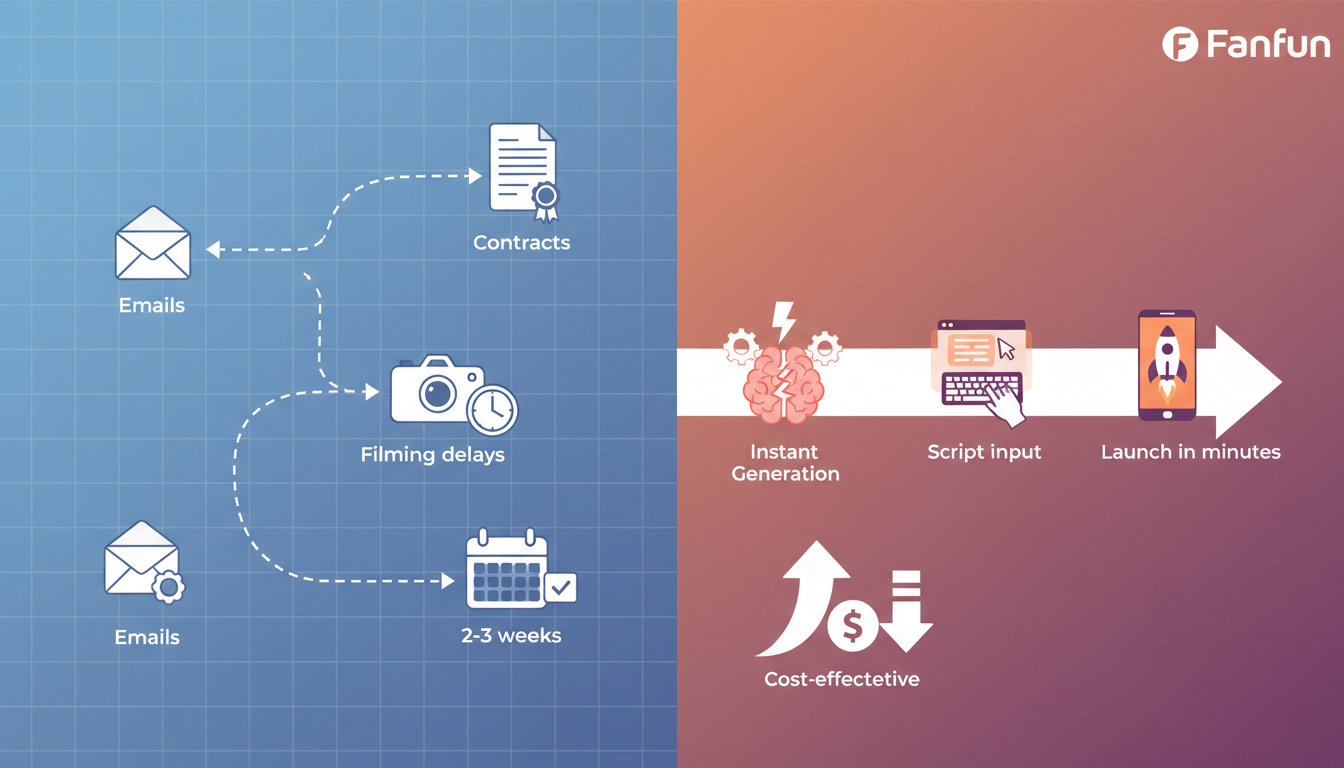
To put this in perspective, let's look at how utilizing instant AI talent compares to traditional creator bookings across key campaign vectors:
Comparison: Traditional Creator Bookings vs. Fanfun AI Talent
Traditional creator outreach requires a minimum of 2 to 3 weeks for negotiation, shipping products, filming, and editing, with average costs ranging from $500 to $3,000+ per asset. Creative control is highly limited, and revisions often require complex renegotiations. Conversely, Fanfun AI talent offers instant generation in under 2 minutes, costs only a fraction of a dollar per video, and grants you 100% control over the script, pacing, and variations.
The 4-Step Workflow for Instant AI Video Production
You do not need a background in video editing or sound design to produce high-performing promos. By following this streamlined, four-step workflow, you can go from a blank page to a launch-ready video asset in under 20 minutes.
Step 1: Draft Your Script with Personalized Variables
Begin by writing your script using the "Scroll-Stopper" framework. To make the video feel custom-tailored to different audience segments, include variables that you can easily swap out. For example, if you are targeting different cities, write: "Hey [City] creators, stop scrolling." This allows you to generate hyper-targeted variations for your ad campaigns without rewriting the entire script.
Step 2: Generate Your Assets on Fanfun
Log in to Fanfun, browse the extensive character library, and select the persona that best matches your brand's voice. Paste your script into the generator. Because Fanfun delivers instant results, you can generate multiple versions of your script in seconds, allowing you to hear how different phrasing sounds before moving to post-production.
Step 3: Post-Production Polish
Once you have downloaded your high-quality AI video asset, import it into a free mobile or desktop editor (like CapCut or Canva). Add dynamic, auto-generated captions to ensure your video is fully accessible, as a vast majority of social media users watch videos with the sound off. Overlay a subtle, royalty-free background track to glue the audio together and maintain a high energy level throughout the promo.
Step 4: Rapid Iteration and A/B Testing
Do not stop at just one video. Generate three different versions of your 3-second hook while keeping the body and CTA of the video identical. This allows you to run cost-effective A/B tests on your ad platforms to see which hook yields the lowest cost-per-click. To see how to scale these collaborations without a studio budget, read our creator shoutout video playbook.
A/B Testing Your Hooks Without Doubling Your Spend
The beauty of the Zero-Production workflow is that your creative testing is no longer limited by your production budget. In traditional advertising, testing three different hooks meant paying an actor for three different shoots or spending hours re-recording. With Fanfun, you can simply generate three variations of the opening line, slice them onto the front of your master video in your editor, and export three distinct ads in minutes. This rapid iteration cycle is the secret weapon of modern, highly profitable bootstrapped brands.
Common AI Promo Pitfalls (And How to Avoid Them)
While AI-driven production is incredibly powerful, it requires a strategic touch to ensure your promos look professional, trustworthy, and engaging. Avoiding a few common mistakes will instantly put your content ahead of the competition.
First, avoid the "Uncanny Valley" trap. Do not try to trick your audience with low-quality, hyper-realistic deepfakes that attempt to look exactly like a real human filming on a phone. Audiences are incredibly perceptive and will quickly feel deceived, which destroys brand trust. Instead, embrace stylized, high-quality character interpretations and creative AI personas. When your content is openly fun, artistic, and stylized, your audience appreciates the creativity and engages with the message rather than questioning the medium.
Second, prioritize the audio-first rule. In social media feeds, clear, highly expressive audio is actually more important for viewer retention than complex visual transitions. If your AI voice is muffled, poorly paced, or lacks energy, viewers will swipe away instantly. Always ensure your script has clean punctuation to help the AI generator deliver natural pauses, and keep your background music low enough that it does not compete with the voiceover.
Finally, always keep your promotions fun, creative, and clearly aligned with platform guidelines. By focusing on lighthearted, engaging content—rather than misleading claims—you will build a loyal audience that loves your brand's unique, tech-forward approach to storytelling.
How much does it cost to make a promo video with AI?
Using a Zero-Production workflow with Fanfun, you can generate promotional videos for a fraction of a dollar per render. This is a massive saving compared to traditional video production, which can cost anywhere from $500 to $5,000+ for actors, equipment, and editing.
Can I use AI celebrity voices for commercial video ads?
When running commercial video ads, it is best to focus on creative, stylized character interpretations, parody styles, or licensed personas. Always ensure your promotions remain fun, clearly creative, and fully compliant with platform guidelines and intellectual property ethics.
How do I make an AI video promo look less robotic and more engaging?
To make your AI promos highly engaging, write your scripts with short, punchy sentences and deliberate punctuation (like ellipses or dashes) to guide the AI's pacing. Additionally, always add dynamic on-screen captions and a low-volume background music track in post-production to keep viewers hooked.
What are the best free tools to edit my AI-generated promo videos?
Free, user-friendly tools like CapCut, Canva, and VN Video Editor are excellent for polishing your AI-generated assets. They allow you to quickly auto-generate captions, add royalty-free background music, and cut together different hook variations in minutes.