The React-and-Remix Playbook: How to Direct an AI Reaction Video Generator for Viral Cultural Commentary
Reaction videos are the lifeblood of internet culture, but traditional production is bottlenecked by editing time. Discover how to use an AI reaction video generator to deploy cultural commentary at the speed of the internet.
The internet does not wait for you to set up your lighting, sync your external microphone, and color-grade your footage. In the high-velocity world of social media, the creator who comments on a cultural event within three hours captures the traffic; the creator who takes three days is ancient history. Reaction videos are the lifeblood of platforms like TikTok, Instagram Reels, and YouTube Shorts, yet traditional production remains bottlenecked by human availability, editing setups, and repetitive workflows.
Using an AI reaction video generator is not about removing human emotion from the equation. Instead, it is about acting as a digital director, deploying an on-demand cast of characters to remix trending news, roasts, and memes instantly. By learning how to direct these synthetic performers with precision, creators and marketers can scale their output, test multiple comedic angles in minutes, and maintain a constant presence on the algorithmic feed.
The Anatomy of a Viral Reaction: Why Speed Beats Polish
The shelf-life of a viral trend is now measured in hours. When a bizarre pop-culture moment drops, the window for maximum audience engagement opens and closes rapidly. Traditional reaction setups require physical space, camera gear, talent coordination, and the tedious process of editing split-screens. By the time a polished video is exported, the internet has already moved on to the next meme cycle.
AI reaction generation flips this dynamic by allowing creators to input a trending clip or topic and immediately generate a tailored, character-driven response. The secret to success here is understanding that audiences prioritize immediacy, relatability, and comedic timing over Hollywood-level production values. When viewers scroll past a reaction, they are looking for a visceral, instant human archetype that mirrors their own shock, amusement, or confusion.
At Fanfun, we view this shift as a transition from static, passive content to highly dynamic, conversational media. Instead of sending one-way messages, creators can now build immediate dialogue around trending topics. This is why forward-thinking creators are moving away from static greetings toward videos designed to spark an immediate, genuine reaction, using AI to match the relentless speed of digital culture.
The Scripting Framework: Writing for High-Impact AI Expressions
Writing a script for an AI video generator requires a different approach than writing for a human actor. Humans naturally interpret subtext, but an AI model relies on explicit textual cues to trigger dramatic shifts in tone, volume, and facial expression. To get a high-retention performance, you must write phonetically and structurally for the algorithm.
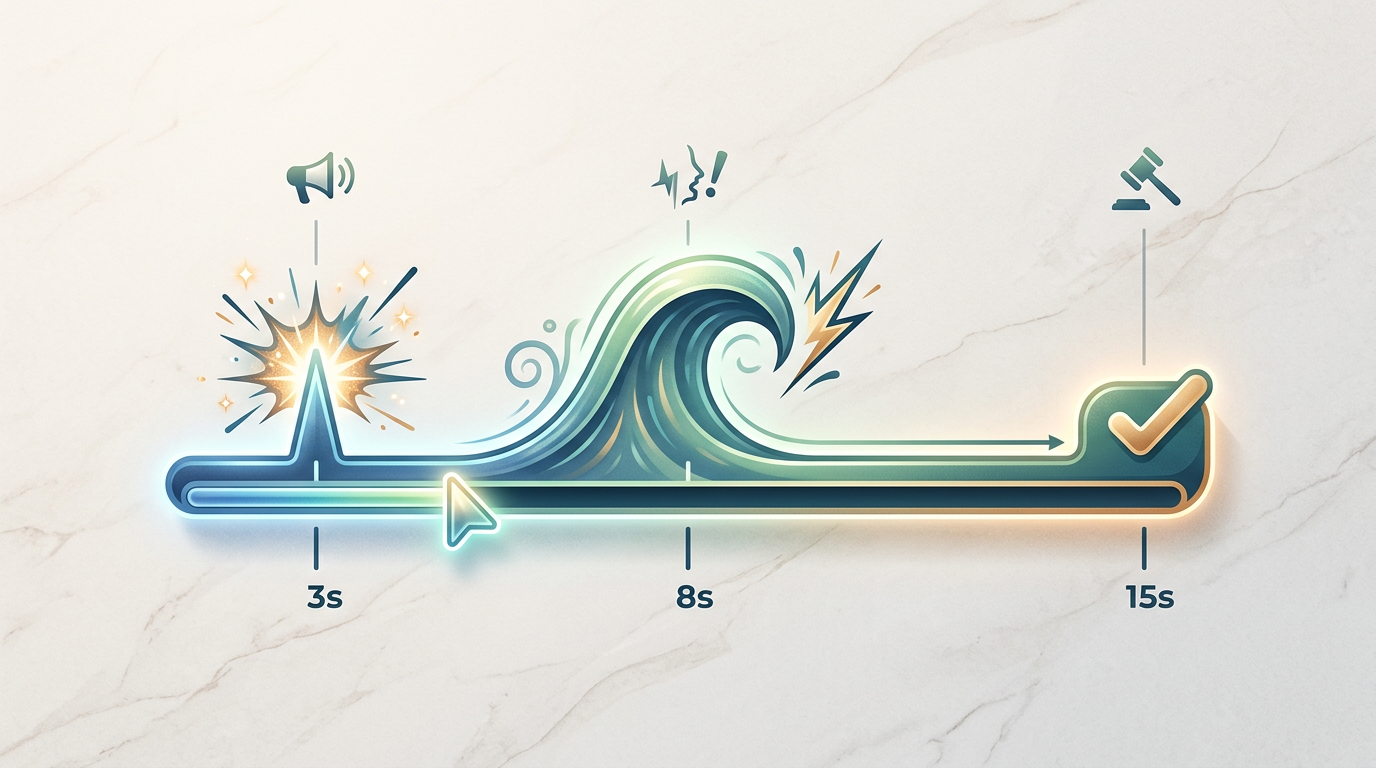
The "Hook-Gasp-Verdict" 15-Second Blueprint
For short-form platforms, a reaction video must hook the viewer within the first three seconds and deliver a satisfying payoff before they swipe away. Use this optimized structure to guide your scripting:
- 0-3 Seconds (The Hook): A short, punchy setup that establishes what is being reacted to. Example: "Did they really just say that?"
- 4-8 Seconds (The Gasp/Physical Shift): A dramatic non-verbal cue forced through punctuation. Using ellipsis, exclamation marks, or capitalized phonetic spellings (like "Wait... WHAT?!") forces the AI voice model to pause, shift pitch, and register visual surprise.
- 9-15 Seconds (The Verdict): A sharp, memorable concluding thought or punchline that summarizes the reaction.
To make the delivery feel organic, balance physical reaction descriptions with spoken dialogue. Avoid long, complex sentences. Use short, fragmented thoughts that mimic how people actually speak when they are surprised or laughing. If the AI model delivers a line too flatly, try misspelling words phonetically (e.g., changing "unbelievable" to "un-bee-lievable") to force the voice generator to emphasize the correct syllables.
Choosing Your Reaction Archetype
Not every trending video deserves the same type of reaction. A tech failure requires a different comedic lens than a bizarre reality TV clip. To keep your content strategy structured, match your target audience with a specific, recognizable reaction archetype.
| Reaction Archetype | Best Use Case | Tone & Delivery |
|---|---|---|
| The Hyper-Enthusiastic Fan | Movie trailers, product unboxings, major sports wins | High energy, rapid speech, expressive hand movements |
| The Deadpan Critic | Cringe content, design fails, public relations disasters | Slow pacing, flat delivery, sarcastic pauses, raised eyebrows |
| The Nostalgic Icon | Absurd real-world news, modern dating trends | Classic cartoon or retro character voices reacting to modern situations |
If you want to move beyond a simple, passive reaction, you can transition your "Deadpan Critic" into a structured, highly-targeted comedic burn. By transitioning from a simple reaction to a structured, highly-targeted comedic burn, you can create episodic roast series that keep viewers returning for your character's sharp-tongued commentary.
Fanfun’s extensive library of licensed and original AI personas allows creators to instantly swap these archetypes. If a script doesn't land when delivered by a hyper-enthusiastic character, you can run the exact same prompt through a deadpan cartoon icon with a single click to see which comedic timing resonates best with your audience.
The Director's Checklist: Pacing, Framing, and Remixing
Once you have your script and archetype, you need to assemble the final video asset. A poorly framed reaction video will lose viewers instantly, regardless of how funny the script is. Use this director's checklist before publishing your generated content:
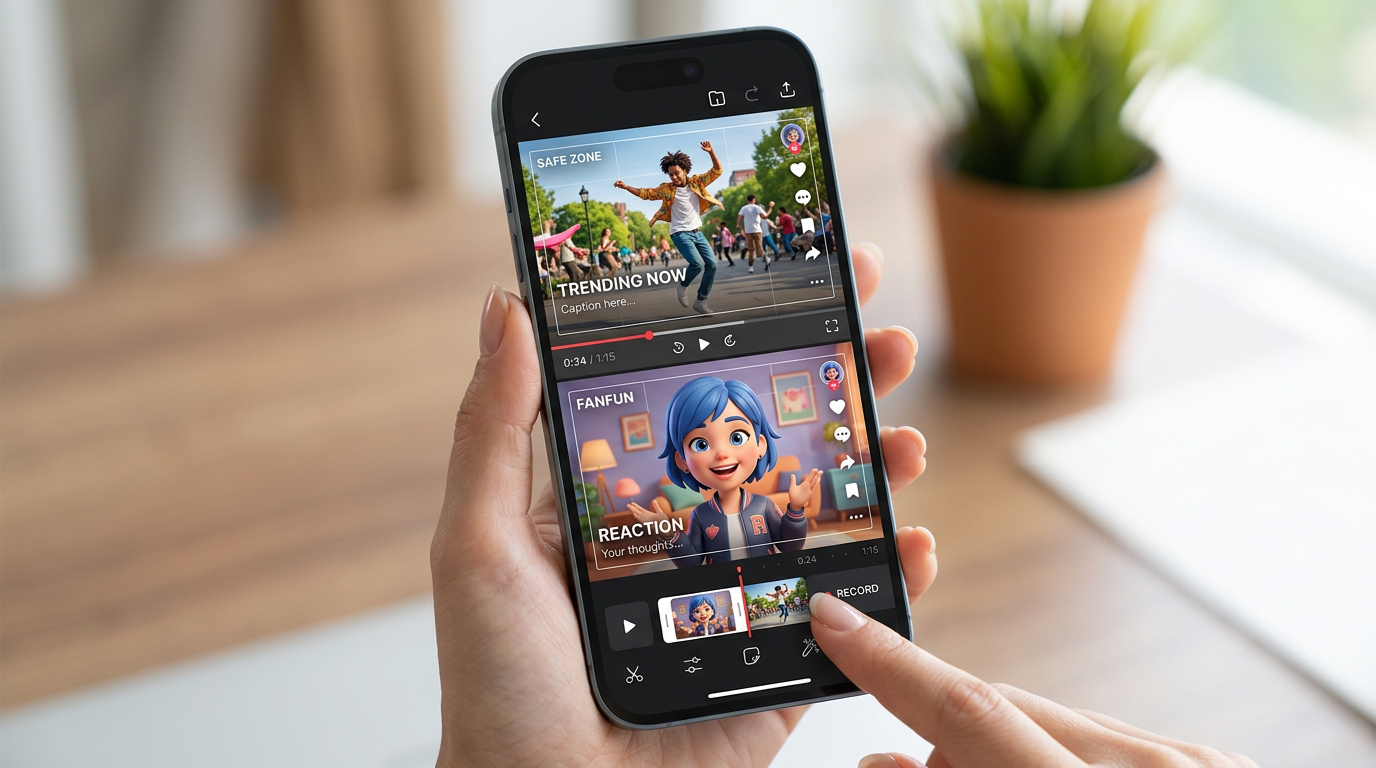
- The Split-Screen Test: Ensure the original asset (the video being reacted to) and the AI character are visually balanced. On vertical formats, place the original video on the top half and the AI reaction on the bottom half, leaving clear margins at the edges to prevent social media UI elements from blocking the faces.
- Audio Ducking Rules: The original video's audio should duck (lower in volume) by 60-70% whenever the AI character speaks. When the AI character pauses to gasp or look shocked, bring the original audio back up to full volume to keep the pacing dynamic.
- Iterative Generation: Do not settle for the first render. Generate 2 to 3 variations of your key punchline. Small shifts in facial framing or vocal inflection can make the difference between a flat delivery and a highly shareable meme.
- Visual Safe Zones: Keep your auto-captions centered and slightly above the bottom third of the screen. This ensures they are readable without overlapping the AI character's mouth or expressions.
Integrating AI Reactions Into Your Broader Content Strategy
For modern brands and independent creators, AI reaction videos are more than just quick laughs—they are a scalable tool for community management and real-time marketing. Instead of replying to a customer's comment or a viral industry trend with a generic text tweet, you can generate a personalized video reaction featuring a beloved character in under two minutes.
This approach allows brands to maintain an active, highly engaging presence without booking expensive talent for minor social media updates. By leveraging real-time video generation for agile marketing campaigns, social media managers can respond to internet culture as it happens, turning standard customer service interactions into shareable brand moments.
Ultimately, the creators who win the attention economy are those who can produce high-substance, culturally relevant commentary consistently. By treating an AI reaction video generator as your personal, on-demand creative partner, you remove the physical bottlenecks of production. You can focus entirely on what matters most: sharp writing, perfect comedic timing, and immediate cultural relevance.
How do you make an AI reaction video look natural?
To make an AI reaction look natural, focus heavily on pacing and punctuation in your script. Use ellipses (...), dashes (—), and exclamation marks to force the AI model to pause, change pitch, or express surprise. Additionally, ensure your audio ducking is set up correctly so the background video volume lowers whenever the AI character speaks.
Can I use AI reaction videos for commercial TikTok and Reels campaigns?
Yes, many creators and brands use AI reaction videos for commercial and marketing campaigns. However, you must ensure you have the rights to use the character's voice and likeness. Fanfun provides a library of licensed and original AI personas that are safe for creators to use in their content strategies.
What is the best script structure for a short-form AI reaction?
The highly effective "Hook-Gasp-Verdict" structure works best for 15-second vertical videos. Spend the first 3 seconds establishing the hook, use the next 5 seconds for a dramatic physical or verbal reaction (like a gasp or laugh), and use the final 7 seconds to deliver a memorable, shareable punchline.
How does Fanfun deliver instant reaction videos compared to traditional platforms?
Unlike traditional platforms where you must wait hours or days for a real creator to record a video, Fanfun generates high-fidelity character videos instantly. This allows you to react to trending news, memes, and cultural moments in real time, while the trend is still highly relevant to your audience.