
How to Structure a Short Virtual Character Video Script
Writing for virtual characters requires a tight, well-paced structure to keep the audio sounding natural. Learn how to craft a high-impact, 30-second script using our simple three-part framework and editable template.
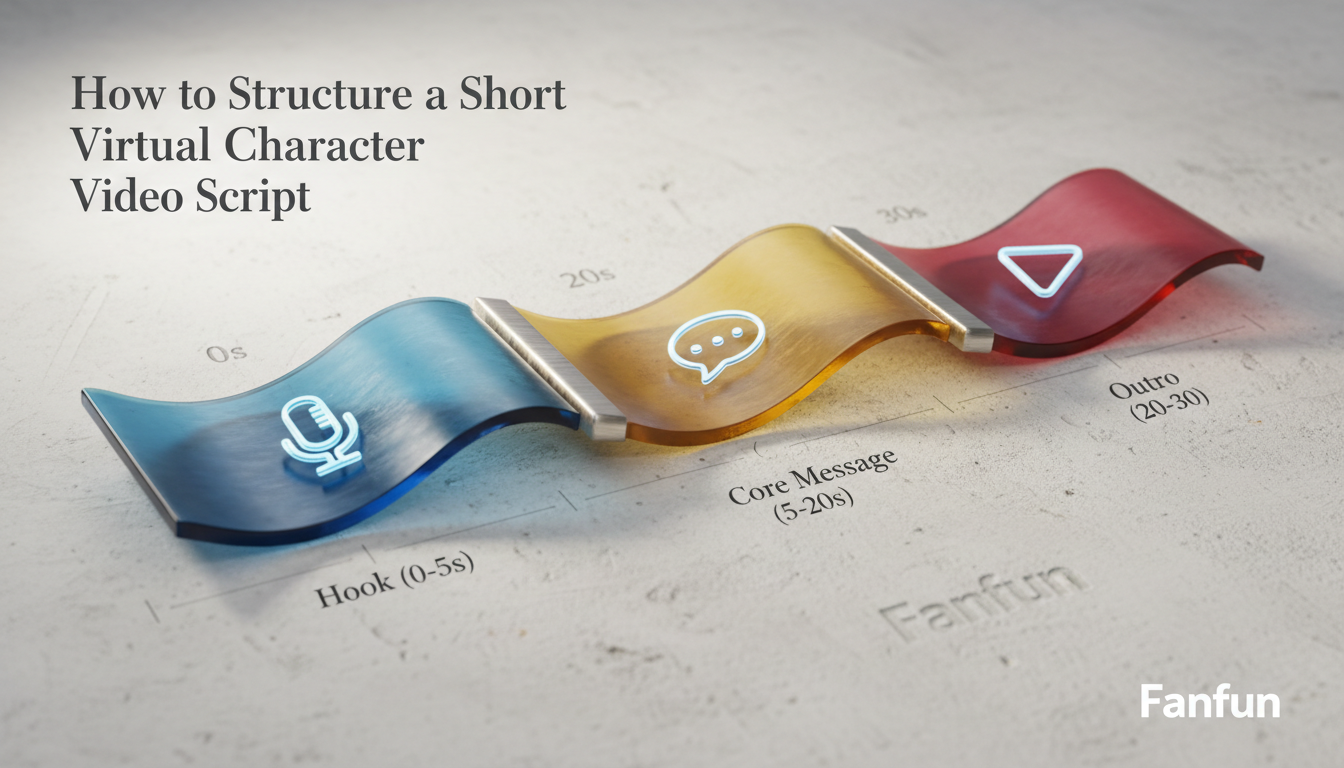
To structure an engaging short virtual character video script under 30 seconds, use a simple three-part framework: a hook (0–5 seconds), a core message (5–20 seconds), and a character-appropriate sign-off (20–30 seconds). Keeping your total script length strictly between 50 and 75 words gives the synthetic voice generator enough room to breathe, preventing the performance from sounding rushed, robotic, or unnatural. While AI voice personas from platforms like Fanfun can bring incredible energy to your message, using clean pacing and smart formatting is a great way to help any synthetic voice sound more natural.
The 30-Second Copy-and-Paste Script Template
Use this editable template to draft your script. It is pre-paced to fit comfortably within a 30-second window without forcing the AI voice into a rapid-fire delivery.
[Hook: 0-5 Seconds]\n\"[Character Catchphrase or Slang]! Look who finally made it to the big leagues.\"\n\n[Core Message: 5-20 Seconds]\n\"I heard you just [Insert Specific Achievement or Inside Joke], [Name]. Honestly, everyone is talking about it. Keep that same energy and don't slow down now.\"\n\n[Outro/Sign-off: 20-30 Seconds]\n\"Stay legendary, my friend. [Character Signature Sign-off]!\"Worked Example: A Playful Hype Message
Here is how the template looks when adapted for a high-energy, motivational persona:
\"Boom! Look who finally made it to the big leagues. I heard you just crushed that marathon finish line, Sarah. Honestly, everyone in the chat is talking about it. Keep that same Mamba energy and don't slow down now. Stay legendary, my friend. Out!\"
Read our walkthrough on crafting a welcome back script for virtual characters to see this structure in action for casual greetings.
The 3-Part Structure for Short Character Videos
When you are working with a tight 30-second limit, every word must earn its place. A successful script balances time constraints with the natural pauses required by synthetic voice generators. Here is how to break down the three core phases:
- The Hook (0–5 seconds / 10–15 words): Grab attention immediately. Virtual character videos are highly visual, but the audio needs to land instantly. Start with a signature catchphrase, a direct call-out of the recipient's name, or a surprising opening line that establishes the character's unique identity.
- The Core Message (5–20 seconds / 30–45 words): Deliver the main purpose of your video. Focus on a single, clear theme—whether it is a birthday wish, a lighthearted roast, or a congratulatory note. Avoid cluttering this section with multiple ideas; a single, well-developed point lands with much more impact.
- The Outro (20–30 seconds / 10–15 words): Wrap up with a memorable, character-appropriate sign-off. This is your final chance to reinforce the persona, leaving the viewer with a punchy parting line that makes the video shareable.
How to Adapt the Structure for Different Personas
A script that works perfectly for a high-energy athlete might sound completely unnatural when spoken by a sarcastic scientist or a laid-back musician. When using Fanfun to generate your video, select a character and adapt your sentence lengths to match their natural cadence.
| Character Style | Vocal Cadence | Best Script Approach |
|---|---|---|
| Hype / Athletic Coach | Short, punchy, intense | Use brief, exclamation-heavy sentences and high-impact action verbs. |
| Laid-back / Cool | Slow-paced, relaxed | Use longer, flowing phrases with plenty of commas to force natural pauses. |
| Chaotic Genius | Erratic, fast, sarcastic | Incorporate sudden transitions, rhetorical questions, and playful jargon. |
For celebratory or formal milestones, you will want to adjust the tone while keeping the structure tight. Explore our guide on writing a graduation congratulations script for more specialized milestone templates. If you are preparing a message for a wedding or rehearsal dinner, check out our tips on structuring a virtual character wedding toast script for longer, more sentimental occasions.
Writing Tips for Better AI Voice Performance
Synthetic voice generators read text differently than humans do. To get a clean, expressive performance from your chosen virtual character, keep these technical writing tips in mind:
- Punctuate for pacing: Use commas, periods, and em-dashes strategically. A comma forces a brief pause, while a period creates a distinct stop. This prevents the AI voice from running sentences together and running out of breath.
- Spell phonetically: If the generator struggles with an unusual name, a slang term, or a specific brand, spell it out phonetically in your script. For example, write \"pro-tay-in\" instead of \"protein\" if the pronunciation sounds off in the generated audio.
- Spell out numbers and symbols: Write \"one hundred\" instead of \"100,\" and \"percent\" instead of \"%\". This ensures the synthetic voice reads the characters exactly as intended without hesitation.
- Avoid tongue-twisters: Complex vocabulary and dense consonant clusters can cause the generated audio to sound slurred. Stick to simple, conversational language that flows naturally.
How many words should be in a 30-second virtual character script?
A safe target is between 50 and 75 words. This word count ensures the AI voice generator has enough time to speak at a natural, conversational pace with appropriate pauses between sentences.
How do I handle pauses and emphasis in an AI voice script?
Use standard punctuation like commas to insert short pauses and periods for longer pauses. Avoid using excessive exclamation points or all-caps, as these can sometimes cause synthetic voices to sound overly strained or unnatural.
Can I use the same script structure for different virtual characters?
Yes, the three-part structure (Hook, Core Message, Sign-off) works across all characters. However, you should adjust the specific vocabulary, sentence lengths, and slang to match the unique persona of the character you select on Fanfun.



